Always Up-to-Date Construction Plans for Everyone
Real-time construction plans updated as your project progresses. With Benetics AI ChatGPT voice assistant your team uses voice to log updates, create reports, and keep plans instantly synchronized. Immediate visibility across teams keeps everyone from site managers to new employees in the loop.
Featured Partners:























Featured Partners:







Your Key Benefits at a Glance

Fewer Errors from Outdated Plans
Outdated plans and miscommunication lead to costly mistakes on-site. Up-to-date construction drawings with our platform have fewer (if any) errors. Our AI automatically keeps your plans organized, updated, and error-free.

Faster On-Site Workflows
Digital construction plans make sure everyone on your team has access to the latest version of each plan. Defects are marked for you, documentation is already in place and downtime is eliminated.

Clear Communication Between Office & Construction Site
Multiple blueprints spread across your team with outdated requirements is a recipe for disaster. Our construction plan synchronization analyzes your Outlook attachments to update blueprint versions across your organization. The result? Everyone works from the same, correct version… every time.

Higher Execution Quality
A single source of truth for construction plans is available on all mobile devices. Our tools update blueprints to save time, eliminate stress and increase overall project quality.

Greater Safety for Everyone Involved
Site plan management is a critical component on every jobsite. Accurate plans lead to lower safety risks and higher employee satisfaction.
The Fastest Way to Get the Latest Construction Plan
Use voice recognition to create mobile construction plans, reports and updates.
Update all plans online and offline with a single change.
Provide employees access on their smartphones to ensure all of the latest plans are readily available.
Which Industries Is “Always Up-to-Date Plans for Everyone” Designed For?
The latest plan version on our site is used by professionals across all trades. Construction, electricians, heating and cooling, roofers, plumbers, drywallers, painters - anyone in any trade. We also provide coordination between trades to streamline larger, more complex project management.

Electricians
Running an electrical business means juggling service calls, scheduling crews, and keeping projects on track. Benetics gives you an AI voice assistant for electricians that keeps your team connected without adding to your workload.

HVAC
Stop losing time on paperwork and phone tag. Our HVAC AI agent turns spoken updates into organized documentation, keeps your team connected, and handles scheduling so you can focus on the actual work. This AI agent for HVAC is designed to work in real field conditions, not just at a desk.
.jpg)
Carpenters
Benetics AI gives carpenters and woodworking professionals a faster way to document jobs, manage tasks, and keep crews connected. Speak your updates, and let the AI handle the paperwork. Your team stays focused on the craft while reports, task lists, and project records organize themselves in the background.
.jpeg)
Roofers
Roofing crews spend too much time on paperwork when they should be on the roof. Benetics AI gives you a ChatGPT voice assistant for roofers that turns spoken updates into organized documentation, keeping your team productive and your projects on track.

Drywall Contractors
Dusty job sites and drywall compound on your hands make typing impractical. Benetics AI offers AI voice assistant for drywall contractors that captures job details, logs materials, and tracks progress through simple voice commands. Talk through your updates on the go, and Benetics AI turns them into organized records ready for billing and reporting

Fireproofing
Fire protection work demands precision, thorough documentation, and real-time communication between field crews and office teams. Benetics AI gives you a ChatGPT voice assistant for fire proofing companies that turns spoken words into organized reports, task updates, and real-time project records. Your technicians talk; the system handles the rest.

Tilers
Tile work demands precision, and your time is too valuable to waste on paperwork. Benetics gives tilers a faster way to document jobs, track progress, and coordinate with the office team. Our AI voice assistant for tilers lets you speak your updates by voice instead of typing them.

Painters
Paperwork pulls painters off the job. Benetics is an AI assistant for painters built around voice commands, so your crew can document work, manage tasks, and stay connected with the office without putting down a brush. Speak to the app, and it handles the rest.
.jpeg)
Reviews
Self-promotion is easy. Here’s what our clients say.
Many companies are already using Benetics. Praise makes us happy, criticism helps us improve.
We strive to get better every day.
Benetics keeps our technicians efficient in the field while creating visibility for our management and engineering teams

Benetics is a great app to help manage projects, keep team members up to date on status, document important aspects with pictures, to-do lists and checklists.

Reviews
Self-promotion is easy. Here’s what our clients say.
Many companies are already using Benetics. Praise makes us happy, criticism helps us improve.
We strive to get better every day.
Our team only needed 30 minutes to start working with Benetics. Much faster than expected.

I’ve really saved a huge amount of time with Benetics and become much more efficient. It’s like having a personal assistant.

Since we switched to Benetics, WhatsApp is a thing of the past – now we work more efficiently and professionally.

Thanks to Benetics, my phone rings much less often. Our entire team works about ten percent more efficiently, which immediately boosts our margins.

With Benetics, my team and I save significant time and money during construction execution.

Thanks to Benetics, our installers always have the latest plans in their pockets. Everyone works with a to-do list that is always up to date. This saves us time and money.




More reading material: Our blog.
Here you can find the latest news and articles. From us and others.
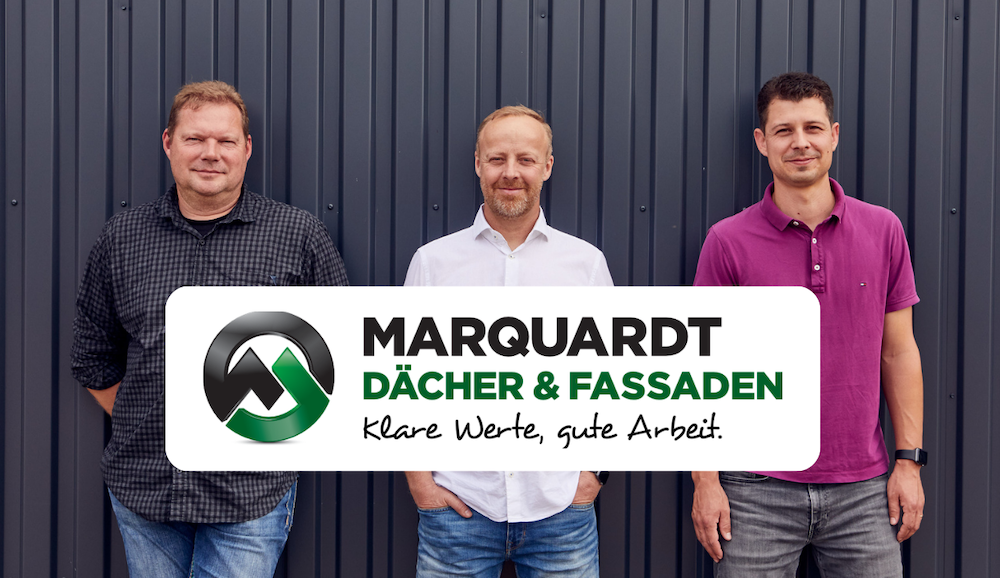
“Everyone Should Get Paid for the Work They Do” – How Marquardt Roofing Makes Every Job Visible
Wie Marquardt Dächer Bautagesberichte und Rapporte per Sprache erstellt. Mit Benetics AI gelingt die Baustellendokumentation einfach und lückenlos
23
June
2026


Danke!
Eine E-Mail befindet sich in deinem Postfach. (Sie kann sich auch im Spam-Ordner befinden.)

Danke!
Eine E-Mail befindet sich in deinem Postfach. (Sie kann sich auch im Spam-Ordner befinden.)