Quantity takeoff app: measure installed work right on the jobsite.
With the Benetics AI quantity takeoff app, you speak line items and quantities on site and measure areas on the plan. Takeoffs from the plan run automatically, formula fields add up the totals, and the office gets the quantities as an Excel file.


Quantities by voice
Line item, quantity, unit: say it while you measure, and the app fills in the fields of the takeoff.

Formula fields do the math
Length times height, wall plus wall, area minus openings: formula fields calculate quantities and totals with units.

Signed, then to the office
The customer signs on site, and the office gets the quantities in Excel or in its own software.
500+ companies document by voice with Benetics AI


























500+ companies document by voice with Benetics AI





Digital quantity takeoff instead of a paper tally sheet: formula fields add it up
- The takeoff template has fields for line item, quantity, and unit, set up for your company.
- Formula fields multiply, add, and subtract to subtotals and totals.
- Photos sit right on the takeoff as backup.


Takeoffs on the plan: measure areas and lengths on your phone
- Tap the plan, choose Measure, and set points to get lengths and areas.
- Or ask Ben, the AI assistant, for the square footage of a room.
- The app pulls quantities from the plan automatically, and you carry them into the takeoff.
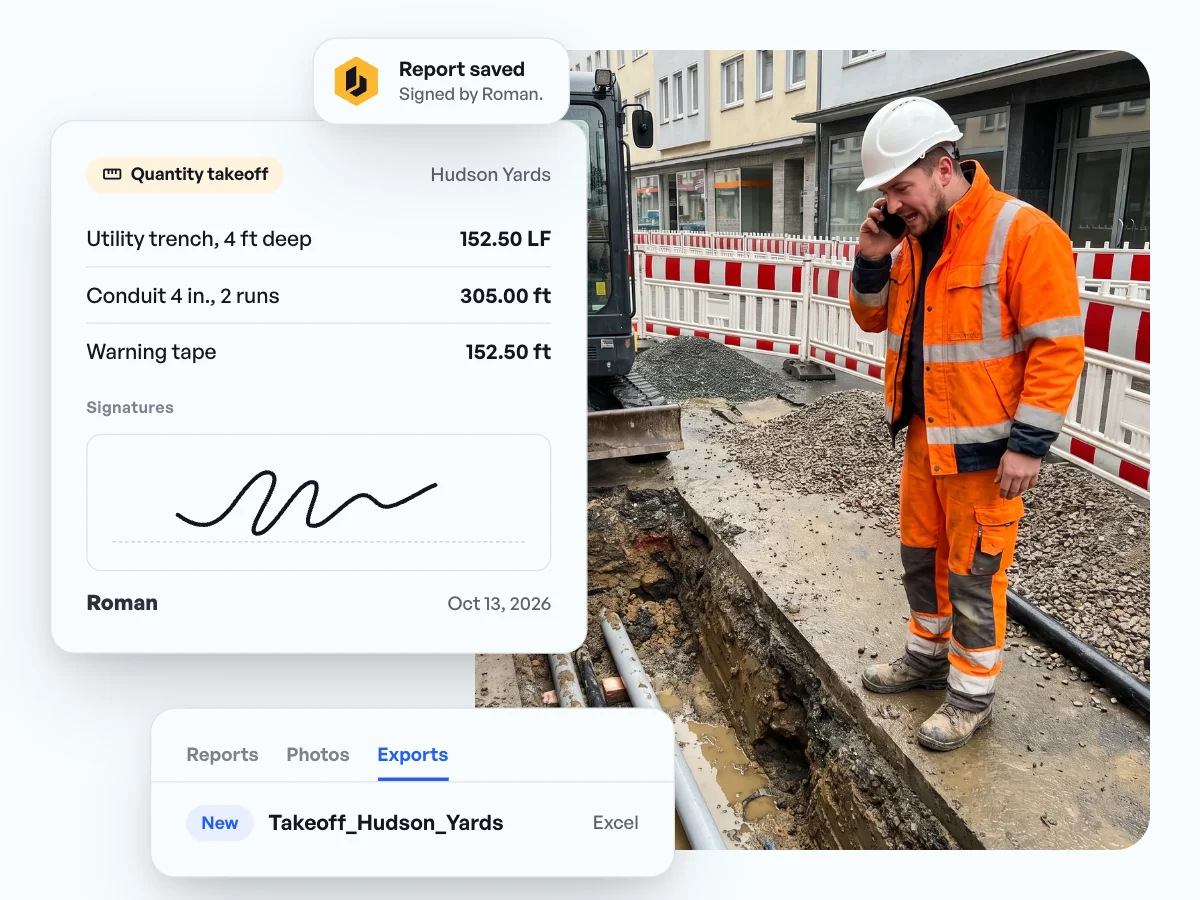
Get the takeoff signed on site and send it to the office as Excel
- The customer signs the takeoff right on the phone, with name and date.
- The office downloads it as an Excel file and bills from there.
- Through the integrations, quantities go on to your office software.
Quantities and billing: what our customers say.
“Benetics is a great app to help manage projects, keep team members up to date on status, document important aspects with pictures, to-do lists and checklists.”

Ken Kish
Owner, Floor Coverings International, East Metro Detroit
“When we did that, obviously, we didn't have any window into what was there except for the notes on the page. There's no visuals. [...] sometimes you have to do secondary and even third walkthroughs to make sure that you've got all the documentation you need before you can start a project.”
Jonathan Gold
Program Manager, J2 IT Group
“Benetics keeps our technicians efficient in the field while creating visibility for our management and engineering teams”
Joe Chambers
Operations Manager, Elite Fire Safety, Novi, Michigan


Common questions about the quantity takeoff app.
Open the project, pick the takeoff template under Reports, and press the mic. Then say what you measured, line item by line item, with quantity and unit. The AI fills in the fields, and you look it over and save.
The spreadsheet gets filled in at night at the computer. In the app, the takeoff happens while you measure, with photos as backup and formula fields that calculate subtotals and totals on their own. Areas and quantities come straight from the plan. The template adapts to your company, and the office still gets an Excel file.
Yes, in two ways. Tap the spot on the plan, choose Measure, and set points: the app shows lengths and calculates areas. Or ask Ben, the AI assistant, how many square feet a room has. Quantities come from the plan automatically, you carry them into the takeoff, and formula fields calculate subtotals and totals.
Yes. Walk the job together, record the quantities in the app, and the customer signs the takeoff right on the phone, with name and date. Both sides work from the same numbers when the invoice goes out.
The takeoff is in the project right away. The office downloads it as an Excel file, or the quantities go on to your office software through Make.com, Zapier, or the REST API.
Both start with the same tools. Measure on the plan to get areas and lengths before the work starts, or record installed quantities on site as the job moves. The takeoff template is built for the field: what was actually installed, signed, and billed.