Drawing revisions from Outlook: the new sheet on the jobsite right away.
The email assistant pulls drawing revisions straight from Outlook. It spots new drawings in attachments and matches them to your project. One click on Update, and your crew has the current set.


Spots drawings in attachments

When a drawing lands in your Outlook inbox, the email assistant flags it in Benetics AI.

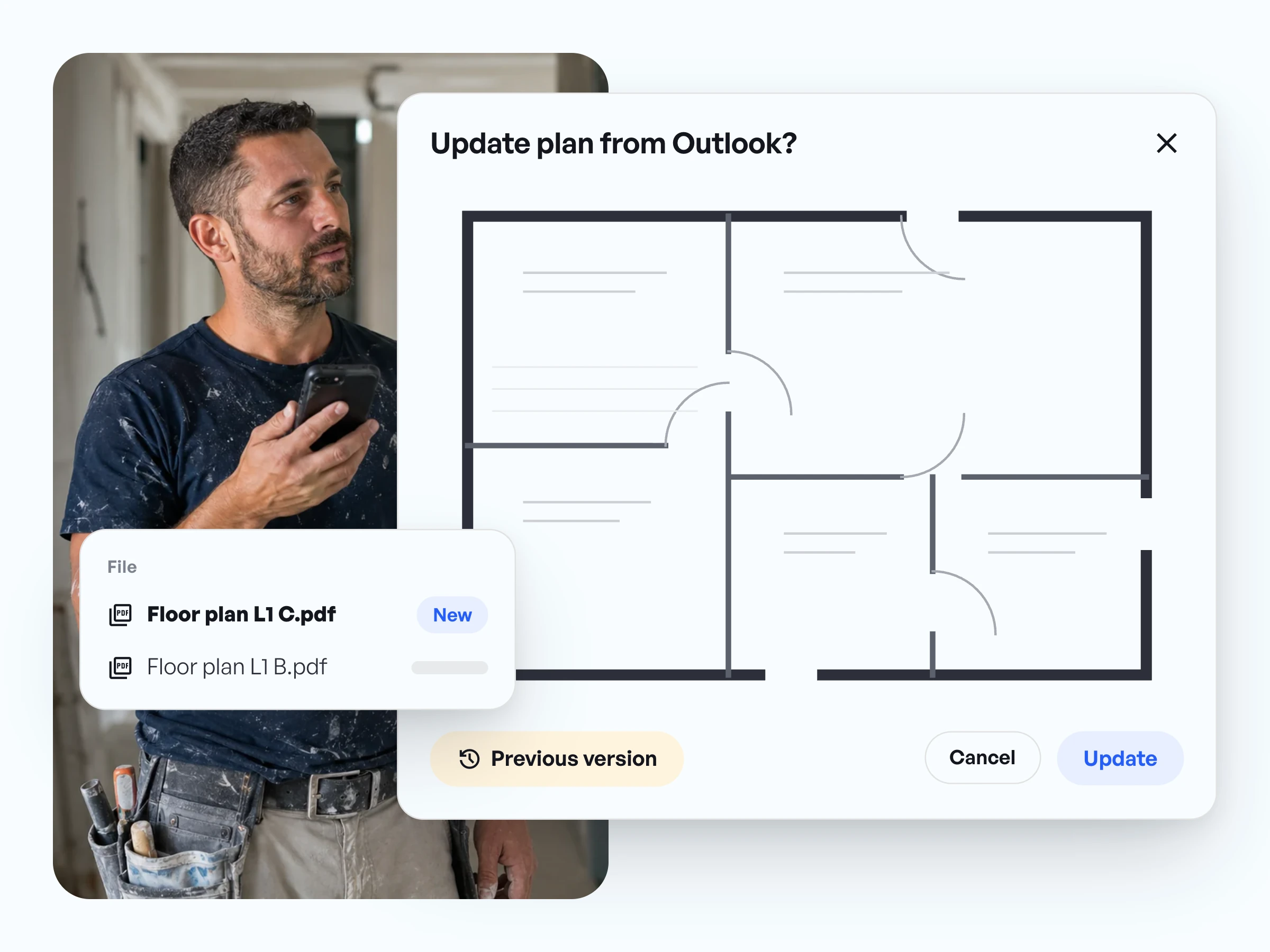
Old and new side by side
Before you click, switch back and forth between the new revision and the previous one.

One click, and it is in
Click Update. From then on the project holds the current drawing, for everyone.
In use on more than 5,000 jobsites















In use on more than 5,000 jobsites




Drawing revisions from Outlook, no forwarding
- The architect emails the new drawing to your Outlook, the same as always.
- The email assistant spots the drawing in the attachment and matches it to your projects.
- A notification shows up in Benetics AI and stays there until you look at it.
Drawing revision control: compare first, then update
- The window shows which file is new and which one is already in the project.
- Toggle to the previous version to switch between the old and the new drawing.
- Open the original PDF with one click before you decide.
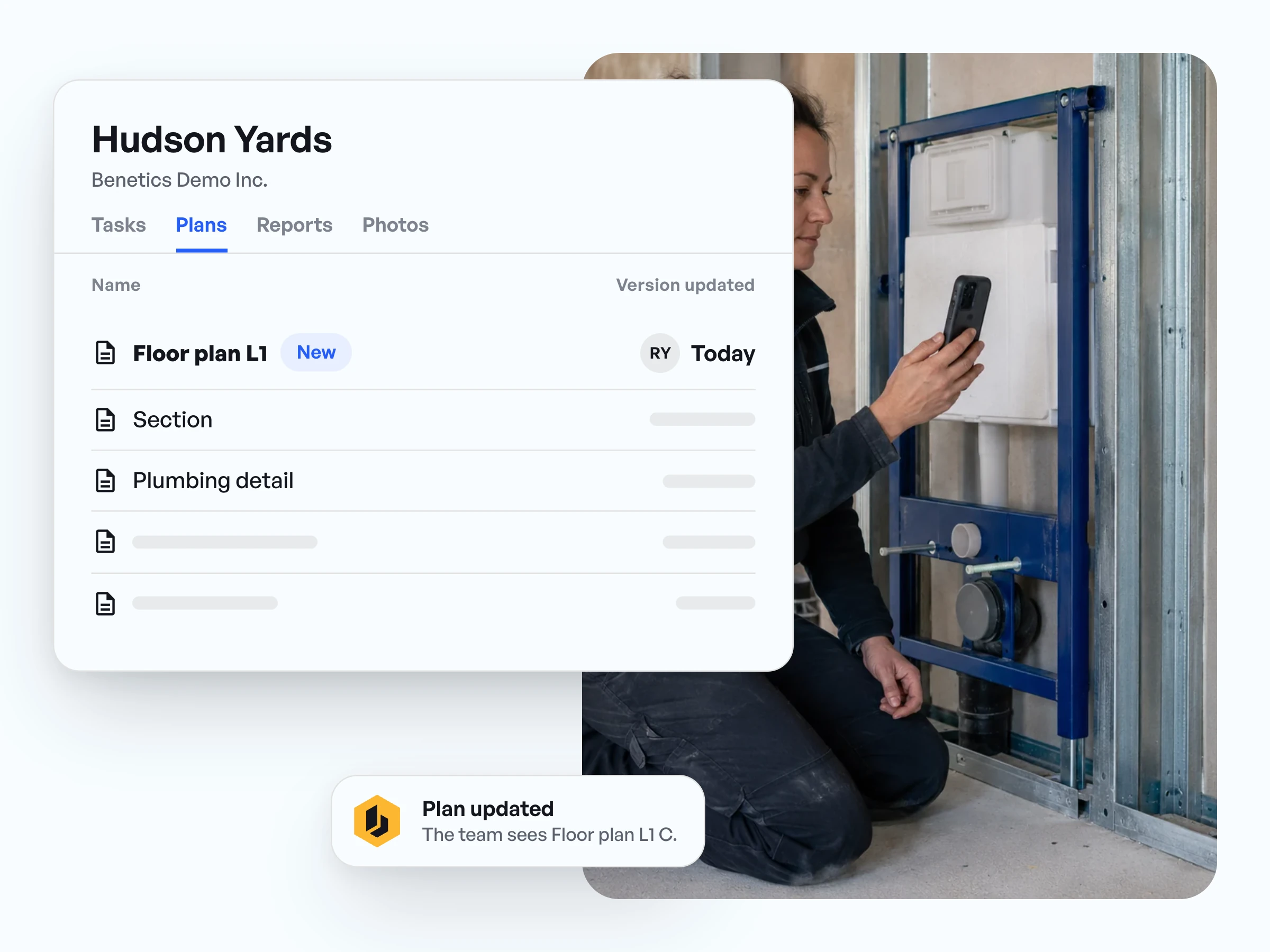
Drawing revision management for the whole crew: build from the current set
- After you click Update, the new drawing is in the project.
- Anyone who opens it sees the new revision and zooms into the detail with one finger.
- The email assistant is included in every Benetics AI plan at no extra cost.
Drawing revisions in practice, from our customers.
“We'd have 15 vendors working in the building at the same time. So my conditions could change from day to day [...] the last thing you want to be doing is sitting in email waiting for responses back and forth.”

Jonathan Gold
Program Manager, J2 IT Group
“For me, it's about communication and documentation. Twofold. It allows me to communicate real time with my people on project to find real problems, to find things that have to be accelerated, to find things that have to be expedited, and to give me a general overview of what the site looks like.”
Jonathan Gold
Program Manager, J2 IT Group
“If your field staff doesn't buy into the software, it's not going to be successful. […] Once you make their life easier, they naturally get engaged.”
Steve Ball
Director of Operations, EJH Construction Inc


Questions about drawing revisions from Outlook.
The email assistant spots the new drawing in the attachment and flags it in Benetics AI. You check it, click Update, and from then on the project holds the current drawing.
It matches the drawing in the attachment against the drawings already in the project. The window shows which file is new, and you can open both as the original PDF.
No. The email assistant suggests, you decide. Only when you click Update does the new drawing go into the project.
Then the window tells you the drawing is already up to date. That way nobody uploads the same sheet twice.
The Benetics AI app. The email assistant brings the drawing from Outlook into the project, and everyone on the crew opens the current drawing on their phone.
No. It is included in every Benetics AI plan at no extra cost.
No. Ben, the AI assistant, is included in the price of Benetics AI at no extra cost. You don't need your own ChatGPT subscription.