Construction team communication: say it once, and the whole crew knows.
Say what needs doing, and it lands as a task on the right spot on the drawing. Your crew sees it on their phones right away, in their own language. Construction team communication that stays with the work, not buried in a group text.


On the task, not in the chat
Photo, checklist, assignee, and the spot on the drawing all sit on the task. Nobody scrolls through 400 messages.

Everyone in their own language
Each person talks in their own language, and the app translates automatically. More than 100 languages are built in.

Fewer check-in calls
Anyone who wants a status update checks the app. The superintendent's phone rings less.
In use on more than 5,000 jobsites








In use on more than 5,000 jobsites


Construction team communication that stays with the task
- Ask your question right in the task, with a photo. The answer comes back as a voice message.
- Photo, checklist, assignee, and the spot on the drawing all sit on the same task.
- Someone new on the job opens the task instead of reading 400 messages in the group chat.

Jobsite communication between field and office, in 100+ languages
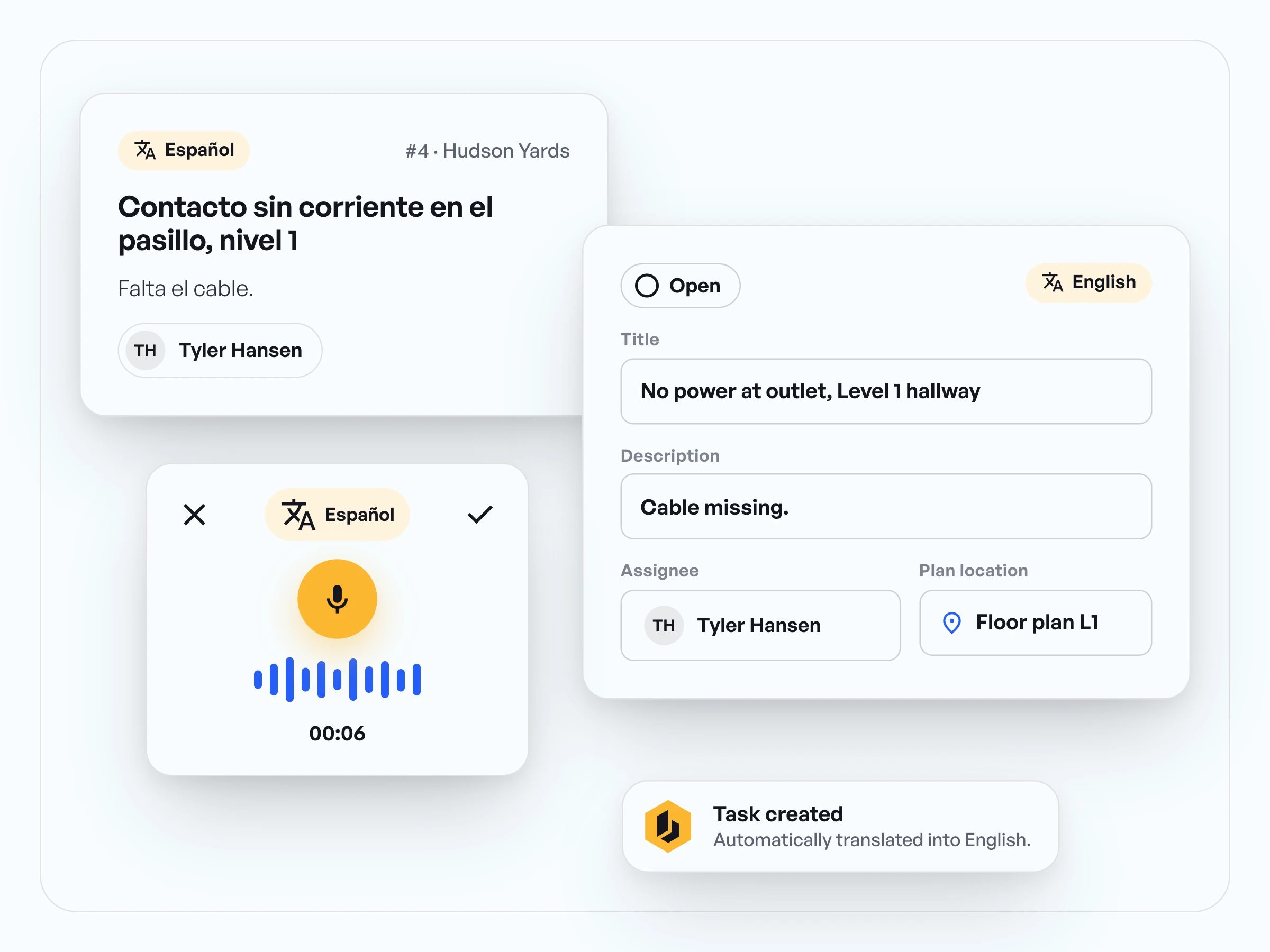
- Your crew member talks in Spanish, Portuguese, or Polish, whatever comes easiest.
- The app translates automatically, and the office reads the task in English.
- No interpreting over the phone, no callback to ask what they meant.
A construction communication app that ends the phone tag
- Under Updates you see what happened: task done, report submitted, new drawing in.
- When the office has a question, the field answers in the project chat, straight from the phone.
- Reports, photos, and the current drawing sit in the same project, and you zoom with one finger.

Construction team communication in practice, from our customers.
“For me, it's about communication and documentation. Twofold. It allows me to communicate real time with my people on project to find real problems, to find things that have to be accelerated, to find things that have to be expedited, and to give me a general overview of what the site looks like.”

Jonathan Gold
Program Manager, J2 IT Group
“The thing we've used Benetics the most for is to keep that line of communication open and real time so that our guys can talk back to the office and we can see what's going on and make adjustments to that project real time instead of waiting for delayed communication that can cause delays and overtime in a project.”
Jonathan Gold
Program Manager, J2 IT Group
“We'd have 15 vendors working in the building at the same time. So my conditions could change from day to day [...] the last thing you want to be doing is sitting in email waiting for responses back and forth.”
Jonathan Gold
Program Manager, J2 IT Group


Questions about construction team communication.
Everything about a task goes on the task: description, photo, checklist, assignee, and the spot on the drawing. Field and office look at the same project and see the same status.
The Benetics AI app. As a construction communication app it has chats too, but anything about a task stays on the task. That way, someone who joins the job next week still finds it.
They talk in their own language. The app translates automatically, with more than 100 languages built in.
The current drawing sits in the project, on everyone's phone. When a new revision comes in by email, the email assistant for Outlook brings it into the project.
Downloaded drawings work without signal, and you keep typing in tasks. They sync as soon as the phone is back online. The voice assistant needs an internet connection.
Send tasks, markups, and completed reports by secure link, by email or WhatsApp. Here is how: sharing with subcontractors.