Construction software integrations: record it once, and the office has it.

Benetics AI works with Microsoft Outlook and connects with Procore, Microsoft 365, and any other tool through the REST API, Make.com, and Zapier. What your crew records on the jobsite doesn't get typed in twice.

Works with your office tools
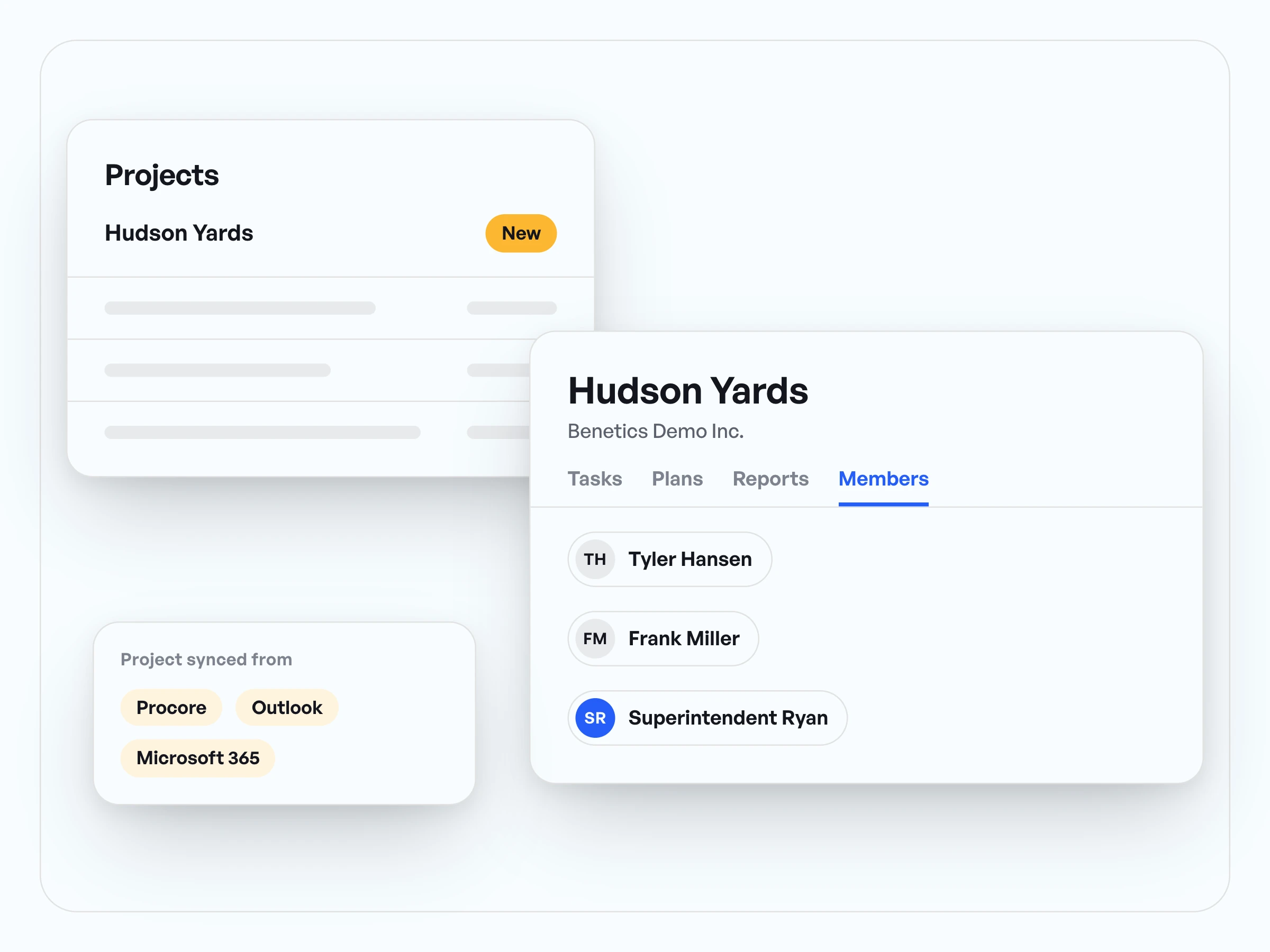
New plans from Outlook attachments land in the project. Procore and Microsoft 365 connect through Zapier.

Open to any software
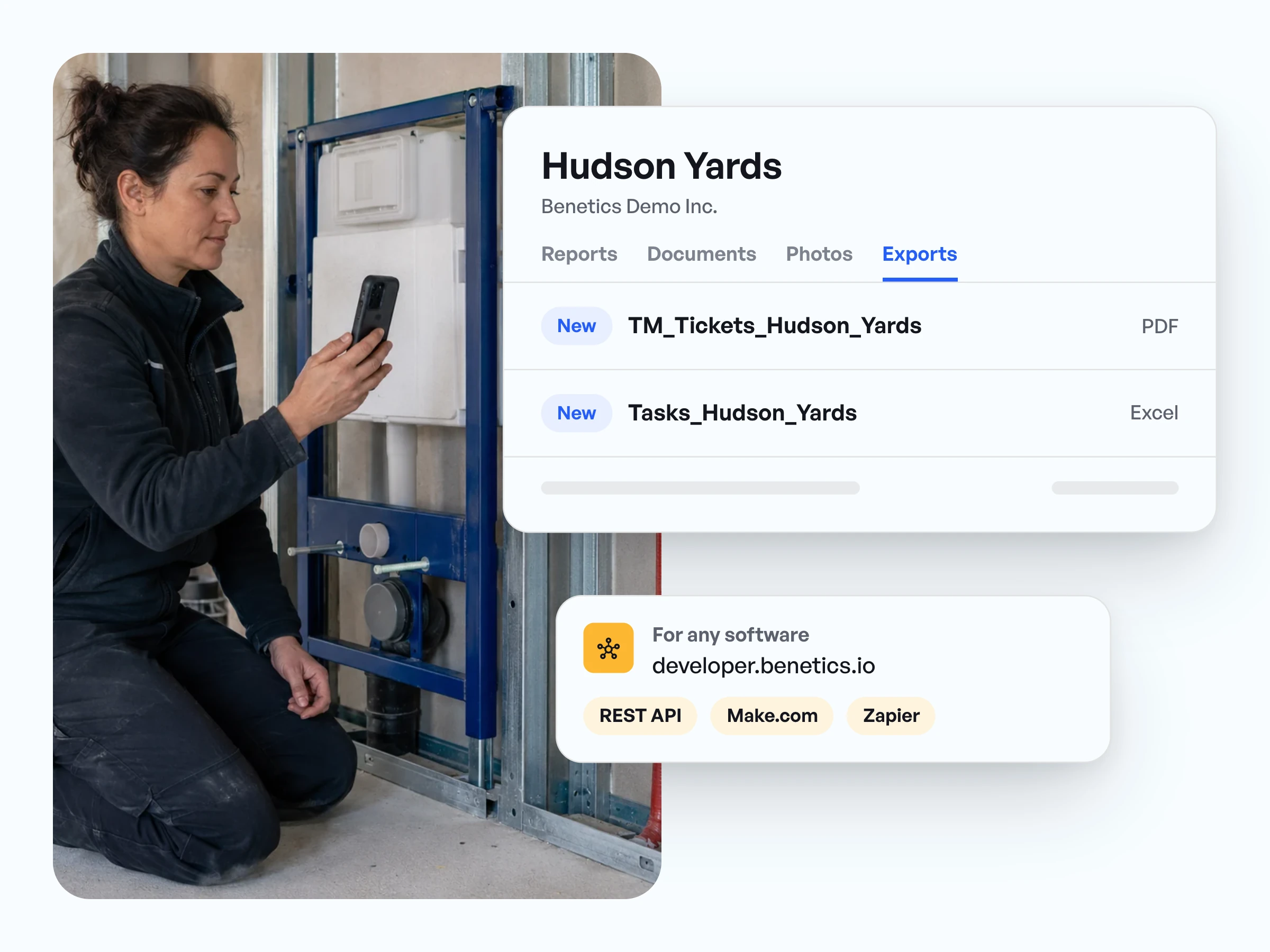
For every other system, there's the REST API and connectors for Make.com and Zapier.

Export when you need it
Tasks, reports, and notes export as PDF or Excel, right under Exports.
In use on more than 5,000 jobsites
























In use on more than 5,000 jobsites





Construction software integrations for the tools your office runs
- New plans sent as Outlook attachments go straight into the right project.
- Procore and Microsoft 365 connect with Benetics AI through Zapier or the REST API.
- Your crew records reports, tasks, and photos on the jobsite in Benetics AI.

Send reports and tasks back to your contractor software
- With the REST API, Make.com, or Zapier, reports go to the right project in your office software. Materials arrive named as they are in your price list, if it’s in the project.
- Tasks can carry their status along: done on the jobsite means done in the office.
- Nobody sets up the project twice, and the crew finds it right away.
Open API, Make.com, and Zapier: connect any construction software
- The REST API is publicly documented at developer.benetics.io.
- With the Make.com and Zapier connectors, you link systems without writing code.
- You export tasks, reports, and notes as PDF or Excel, under Exports.
Construction software integrations in practice: what our customers say.
“The thing we've used Benetics the most for is to keep that line of communication open and real time so that our guys can talk back to the office and we can see what's going on and make adjustments to that project real time instead of waiting for delayed communication that can cause delays and overtime in a project.”

Jonathan Gold
Program Manager, J2 IT Group
“Benetics keeps our technicians efficient in the field while creating visibility for our management and engineering teams”
Joe Chambers
Operations Manager, Elite Fire Safety, Novi, Michigan


Common questions about construction software integrations.
Benetics AI works with Microsoft Outlook: the email assistant picks up new plans from attachments and brings them into the project. Procore and Microsoft 365 connect through Zapier, and every other system through the REST API, Make.com, or Zapier.
You connect Procore through Zapier or the REST API. Your IT team or automation partner decides with you which data goes across.
Every report is in the project right away, where the office can pull it up or export it as PDF or Excel. To send hours and material straight into another system, you set up the handoff through the REST API, Make.com, or Zapier. If your price list is in the project, the materials are already in the report as they’re named there, plus the item number if your template has a field for it.
Then the data runs through the REST API, or through Make.com and Zapier, set up by your IT team or your automation partner. The documentation is at developer.benetics.io.
A paid Benetics AI account, access to your office software, and the API keys for both systems. Plus one person in the office who keeps the projects up to date in that software.
No. Estimates, invoices, and payroll stay in the contractor software your office uses. Benetics AI is the jobsite app that feeds it reports and tasks.