Preconstruction planning: the job is set up before the crew shows up.
For preconstruction planning, you give Ben, the AI assistant, the drawings, the scope of work, and your crew list. Ben sets up the project, creates the tasks, and pins them on the drawings. You review and approve, and your crew sees everything on their phones.


Ben sets up the new project from your documents, with drawings, labels, and crew.

A scope of work or a simple list becomes many tasks at once, each pinned to its spot on the drawings.

Ben creates drafts. You review and approve them, and only then does your crew see them.
500+ companies document by voice with Benetics AI
























500+ companies document by voice with Benetics AI






Preconstruction planning with Ben: tasks from the scope, right on the drawings
Upload the scope of work, and Ben reads it line item by line item.
It becomes tasks by room and trade, each pinned to its spot on the drawings.
Ben creates drafts. You review and approve.
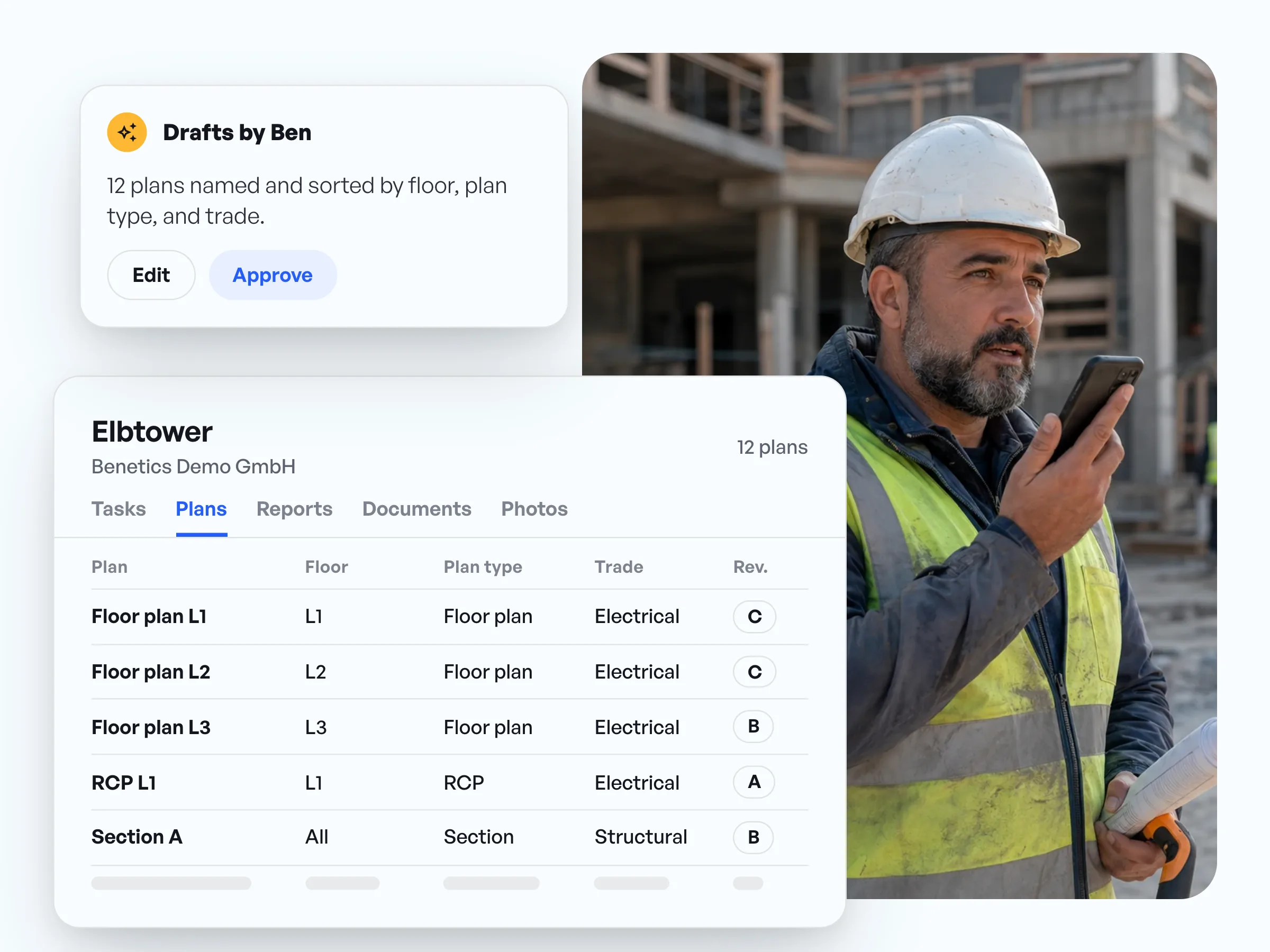
Construction project setup: drawings sorted, named, and current for everyone
Upload the whole drawing set at once.
Ben names every sheet and sorts it by floor, plan type, and trade, and you approve.
On the jobsite, anyone can zoom into the drawing with one finger, down to the detail.
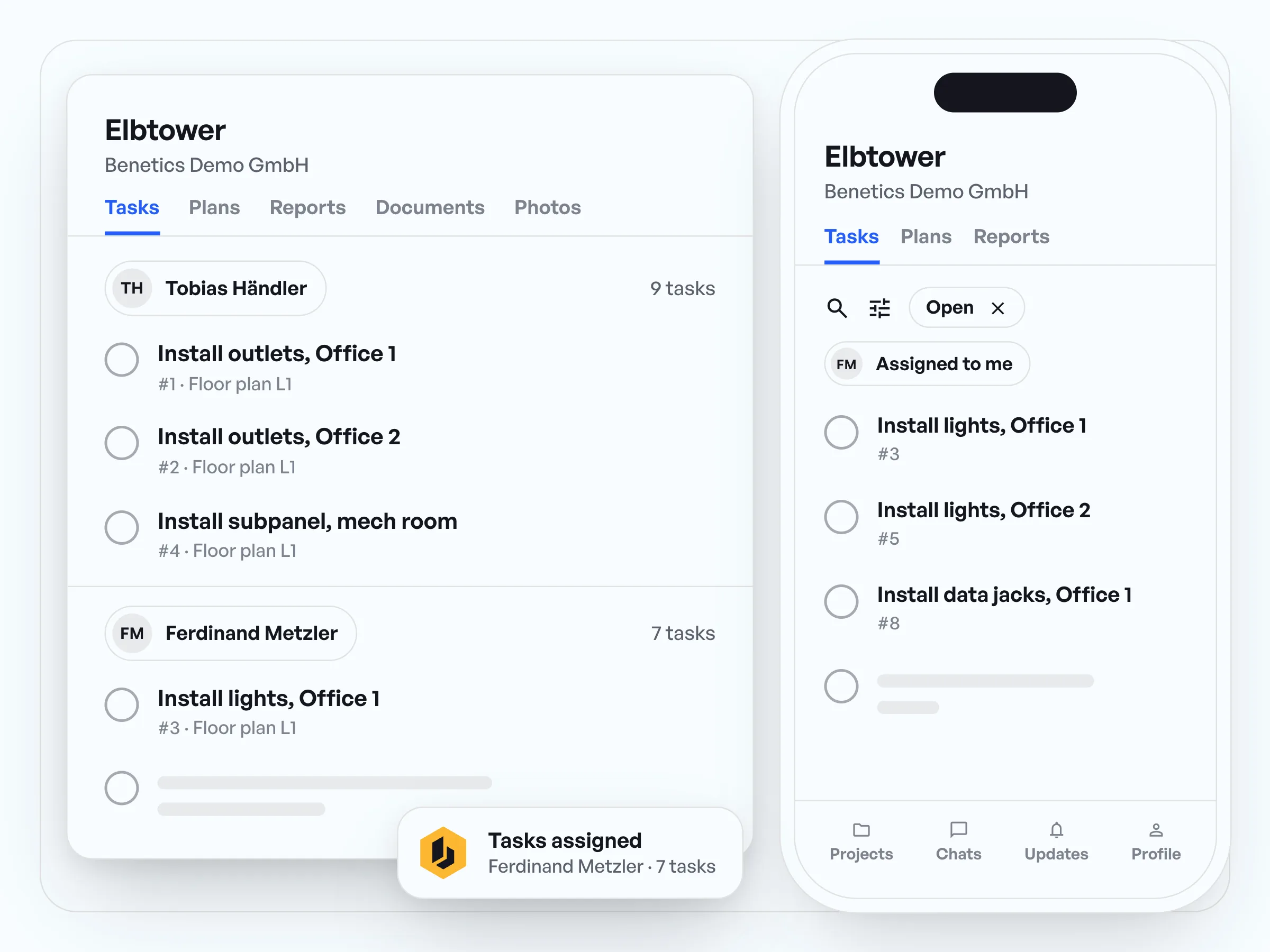
After preconstruction: every crew member sees their tasks on their phone
Assign tasks to people, and they show up in their list right away.
New crew members scan a QR code and they're in the project, no training.
From the office, you see what's done without calling around.
Preconstruction planning in practice: what our customers say.
“When we did that, obviously, we didn't have any window into what was there except for the notes on the page. There's no visuals. [...] sometimes you have to do secondary and even third walkthroughs to make sure that you've got all the documentation you need before you can start a project.”
Jonathan Gold
Program Manager, J2 IT Group
“I'm really excited about that checklist scenario on both sides because it allows literally for my guys to check off their tasks and for me to be able to measure completion.”
Jonathan Gold
Program Manager, J2 IT Group
“If your field staff doesn't buy into the software, it's not going to be successful. […] Once you make their life easier, they naturally get engaged.”
Steve Ball
Director of Operations, EJH Construction Inc


Common questions about preconstruction planning.
The project gets ready before work starts on the jobsite: collecting and organizing the drawings, breaking the scope of work down into tasks, and assigning tasks and people.
One that puts the plan straight onto your crew's phones. In the Benetics AI app, Ben, the AI assistant, sets up the project from your documents, creates the tasks from the scope of work, and pins them on the drawings.
Yes. Ben reads the scope of work and turns it into tasks, each in the right spot on the drawings. It works with a simple list, too. More about Ben
Ben creates drafts. You see them in a list, fix whatever's off, and approve. Only then does your crew see the tasks.
Everyone sees the tasks assigned to them in the construction app on their phone. New crew members install the app, scan a QR code, and they're in the project.
No. Ben, the AI assistant, is included in the Benetics AI price at no extra cost. You don't need your own ChatGPT subscription.