Construction daily report app: say it, don't type it.
With the Benetics AI construction daily report app, you speak the daily report on the jobsite, and the app fills in weather, work done, and crew. Templates for deficiency reports, walkthrough sign-offs, and inspection reports are ready too.


Spoken, not typed
Press the mic and talk through the day, 10x faster than writing. Everything lands in the right fields. Ben enters materials as they appear in your price list.

A template for every report
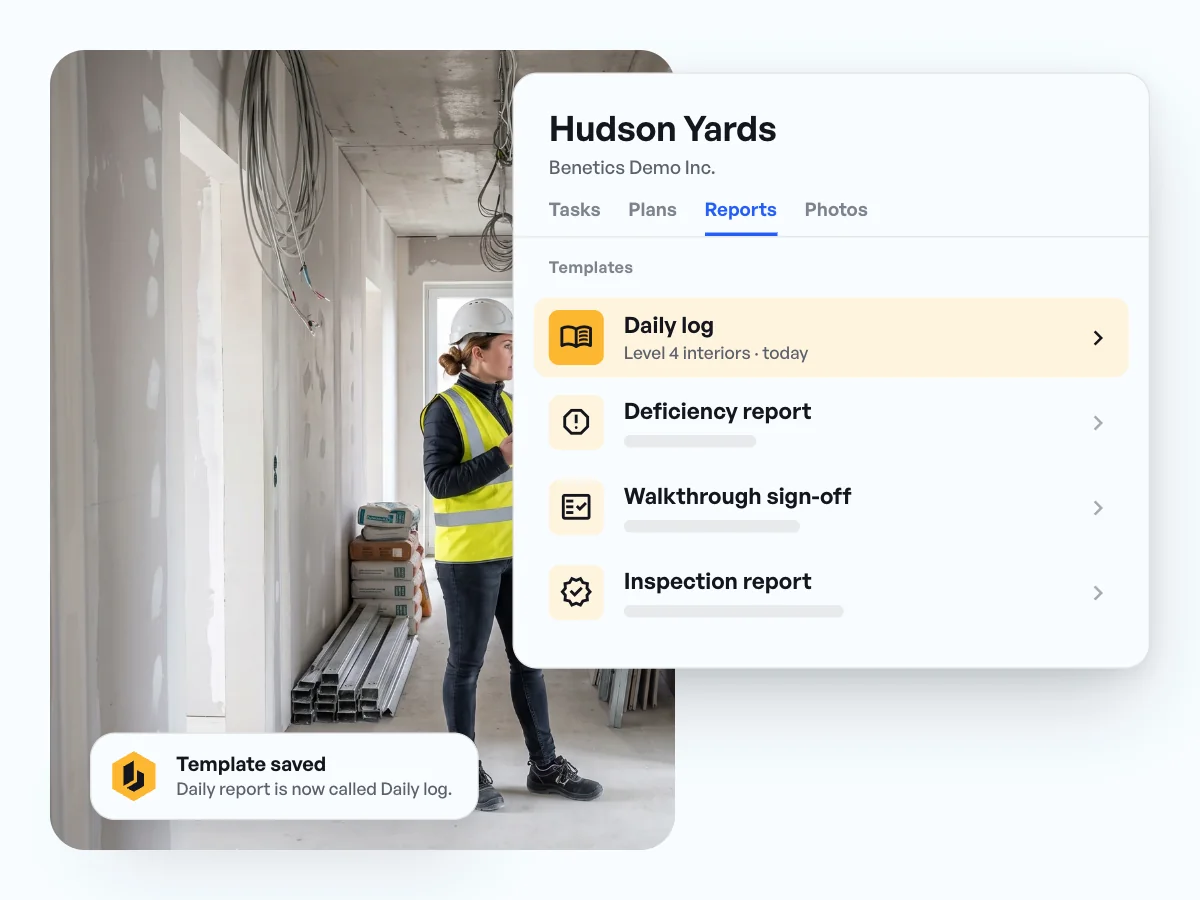
Daily report, deficiency report, walkthrough sign-off, and inspection report are set up and adapt to your company.

On the plan, with photos

The report sits at the right spot on the plan, with the jobsite photos attached.
In use on more than 5,000 jobsites




























In use on more than 5,000 jobsites





Daily report templates, plus deficiency, walkthrough, and inspection reports in one app
- Templates for the daily report, deficiency report, walkthrough sign-off, and inspection report come set up.
- Make them your own: rename them, turn them on, and set required fields.
- Whether you call it a daily log or a field report, the template goes by your name.
Jobsite documentation on the plan: the report sits where it happened
- Long-press the plan, pick Report, and the report has its place.
- Every report shows up as its own pin on the plan, next to the tasks.
- Anyone checking later finds the deficiency report and the sign-off through the plan.
Walkthrough sign-offs and deficiency reports with photos, right with the customer
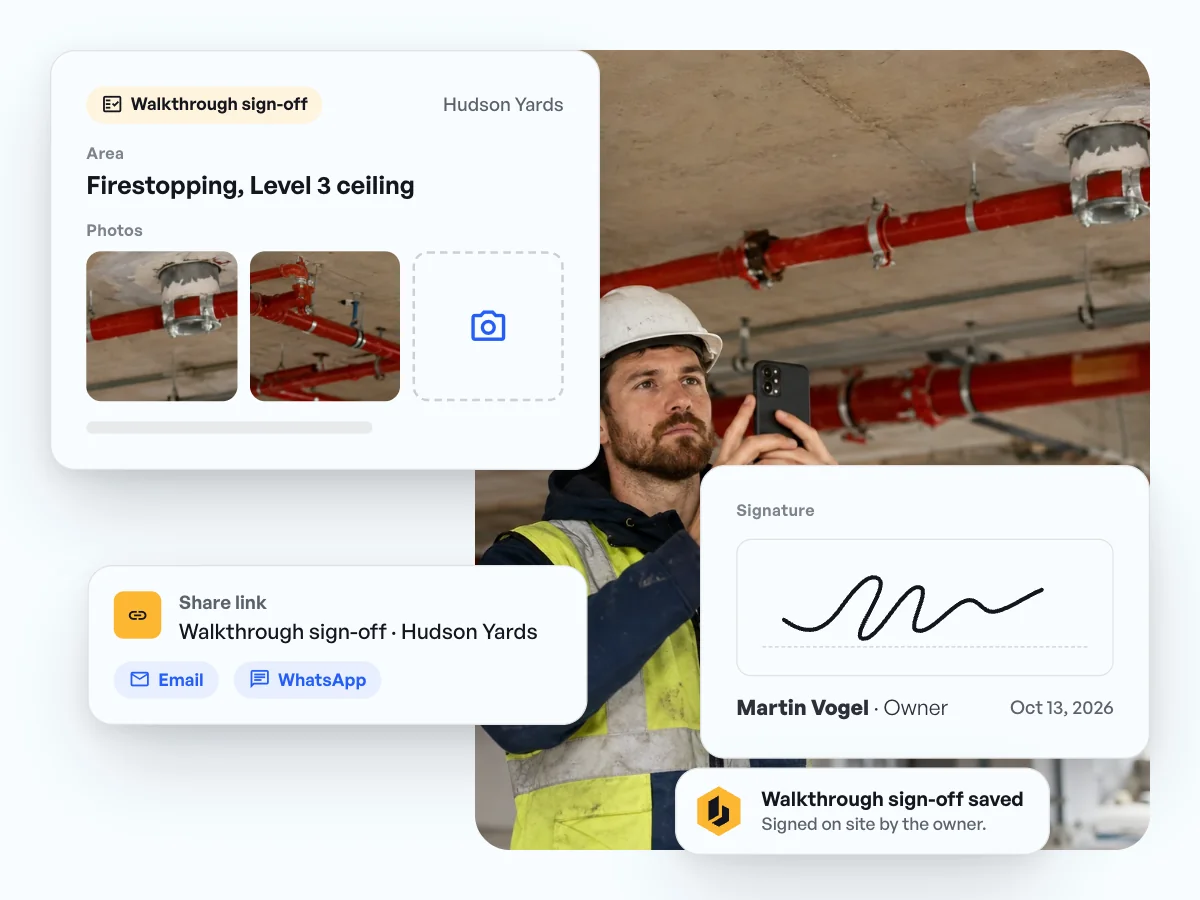
- Jobsite photos go straight into the report.
- The owner signs the walkthrough sign-off and the inspection report on the phone, on site.
- Share the report through a secure link, by email or WhatsApp, and the office has it in the project right away.
Daily reports by app: what our customers say.
“We were always chasing daily field reports. [...] Now they just do it.”

Cori Hale
President & CEO, EJH Construction Inc
“My guys can do that by talking into their phone [...] So, it's all real time. It's coming from their voice, and I get a feel right away for what they've walked into.”
Jonathan Gold
Program Manager, J2 IT Group
“It allows me to document all of those notes, both verbal and pictures, and put those in a place where I can use them real time to help my crew get the job done.”
Jonathan Gold
Program Manager, J2 IT Group


Common questions about the construction daily report app.
Open the project, pick the daily report template, and press the mic. Then talk through the weather, the work done, who was on site, and which material you used. The AI fills in the fields, and you look it over and save. If your price list is in the project, Ben enters the materials exactly as they’re listed there.
Yes. The walkthrough sign-off is set up as a template, just like the daily report, deficiency report, and inspection report. Attach photos right in the report, and the owner signs it on your phone on site.
Yes. Speak the deficiency report and add the jobsite photos. Each item someone needs to fix becomes a task with an assignee and a due date.
Yes. The inspection report template adapts to your company, for example with your own required fields for a firestop inspection. Anything beyond that, we go through together during onboarding.
Yes. You can rename templates, turn them on, and set required fields. The report in the app goes by the name your company uses, and nothing the office needs is missing.
The office has it in the project right away. Send it to the customer through a secure link, for example by email or WhatsApp, and they open it straight from the message.