The app for superintendents: every trade, punch list, and plan in one place

You record the punch item by voice on the jobsite, drop the pin on the plan, and share it with the right contractor. Each trade sees what concerns them and reports back directly.



Superintendent in an unfinished new apartment records a punch item at a drywall corner by voice, then the punch item fills in with a photo, status Open, assignee, and due date.
Superintendent in an unfinished new-build apartment voice-records a punch item on a flush-mounted box, then the punch item fills in with a photo, status Open, an assignee and a due date.
Une conductrice de travaux, dans un appartement neuf encore en chantier, dicte un défaut sur une boîte d’encastrement. Le défaut se remplit ensuite avec photo, statut En cours, exécutant et échéance.

Jefa de obra en una vivienda de obra nueva sin terminar dicta un defecto en una caja empotrada; después el defecto se completa con foto, estado «Abierta», responsable y plazo.

How to coordinate every trade with Benetics AI

Say it

You record the punch item by voice and take a photo. The Benetics AI app turns it into a task.

Pin it on the plan

Long-press the spot on the plan. The pin sits right on the punch item, so the contractor finds it immediately.

Share and sign off

You share the punch item with the contractor by link. They mark it done, with a photo, and you review and close it.

“Daily report: over an hour before, five minutes now”

Remo Schweizer
Site manager at Rhyner Baumanagement
Remo Schweizer, Rhyner Baumanagement

Punch walks with no catch-up work at the office

Logged, assigned, and with the subcontractor before you leave the unit.

Before

  • Walk the jobsite and photograph every punch item.
  • Drive back to the office.
  • Sort the photos, type up the punch items, split them by trade.
  • Write each trade a separate email.

The punch item doesn't reach the contractor until evening.

With Benetics AI

  • Record the punch item: “Unit 23, fire collar missing at the riser shaft.”
  • Add a photo, long-press the spot on the plan.
  • Add a trade label and share it with the contractor.
  • On to the next unit.

The punch item is with the right trade before you leave the jobsite.

From punch item to sign-off: every step with date and time

  • When a punch item was logged and when it was completed is right on the task.
  • The subcontractor marks it done, with a photo. You review it and close the punch item.
  • If there's a dispute over a deadline, the proof is in your hand, not buried in your inbox.


Punch item with its history: logged, reported done, reviewed and closed, each with date and time.

New-build hallway with a cable outlet in the wall, next to it the punch item Move cable outlet in hallway with its history from logged to checked and closed, each with date and time.

Couloir d’un bâtiment neuf avec une sortie de câble dans le mur, à côté le défaut Déplacer la sortie de câble du couloir avec son historique, de relevé à vérifié et clôturé, chaque étape avec date et heure.
Pasillo de obra nueva con una salida de cable en la pared y, al lado, el defecto «Mover salida de cable del pasillo» con su historial, de registrado a revisado y cerrado, cada paso con fecha y hora.

Every trade in one place: each contractor sees what concerns them

  • Electrical, plumbing, ventilation, or drywall: you share each contractor's punch items by link, by email or WhatsApp.
  • Or you invite the contractors into the project, and they work in it just like your own team.
  • They reply through the link and mark the punch item done, with a photo.
  • No contractor gets to see punch items from other trades.


Shared task, the subcontractor replies directly through the link.
Heating manifold with flow meters, next to it the shared punch item Flow meter heating circuit 3 faulty, the contractor replies directly through the link.

Collecteur de chauffage avec débitmètres, à côté le défaut partagé Débitmètre circuit de chauffage 3 défectueux, l’entreprise répond directement via le lien.

Colector de calefacción con caudalímetros y, al lado, el defecto compartido «Caudalímetro circuito 3 averiado»; la empresa responde directamente a través del enlace.

Plans sorted, always current, even without signal

  • Ben, the AI assistant, names the plans and sorts them by floor and trade. You approve.

  • When a new revision comes in, you upload it to the existing plan. The team always sees the current version.
  • Zoom into any detail with one finger, and open the downloaded plan even in the basement.

“New plan available” notification, one tap on “Update now”, then the new plan zooms in and out with one finger.
Notice New plan available, a tap on Update now, then the new plan zooms in and out with one finger.

Notification Nouveau plan disponible, un appui sur Mettre à jour maintenant, puis le nouveau plan s’agrandit et se réduit d’un seul doigt.

Aviso «Nueva versión del plano», un toque en «Actualizar ahora» y después el plano nuevo se amplía y se reduce con un dedo.

Daily reports by voice, right on the jobsite


  • You talk through your day, and the AI sorts it into the sections of the daily report.
  • Templates for daily reports, punch list reports, and handover reports are ready in the project.
  • The handover report is signed on the jobsite, right on the phone.


Daily report by voice: a recording, then weather, work performed, crew, and materials fill in.
Daily log by voice: recording, then weather, activities, crew and materials fill in.
Journal de chantier à la voix : enregistrement, puis la météo, les activités, le personnel et le matériel se remplissent.

Diario de obra por voz: grabación y después se rellenan tiempo, trabajos, personal y material.

Reports for the owner, summarized by Ben

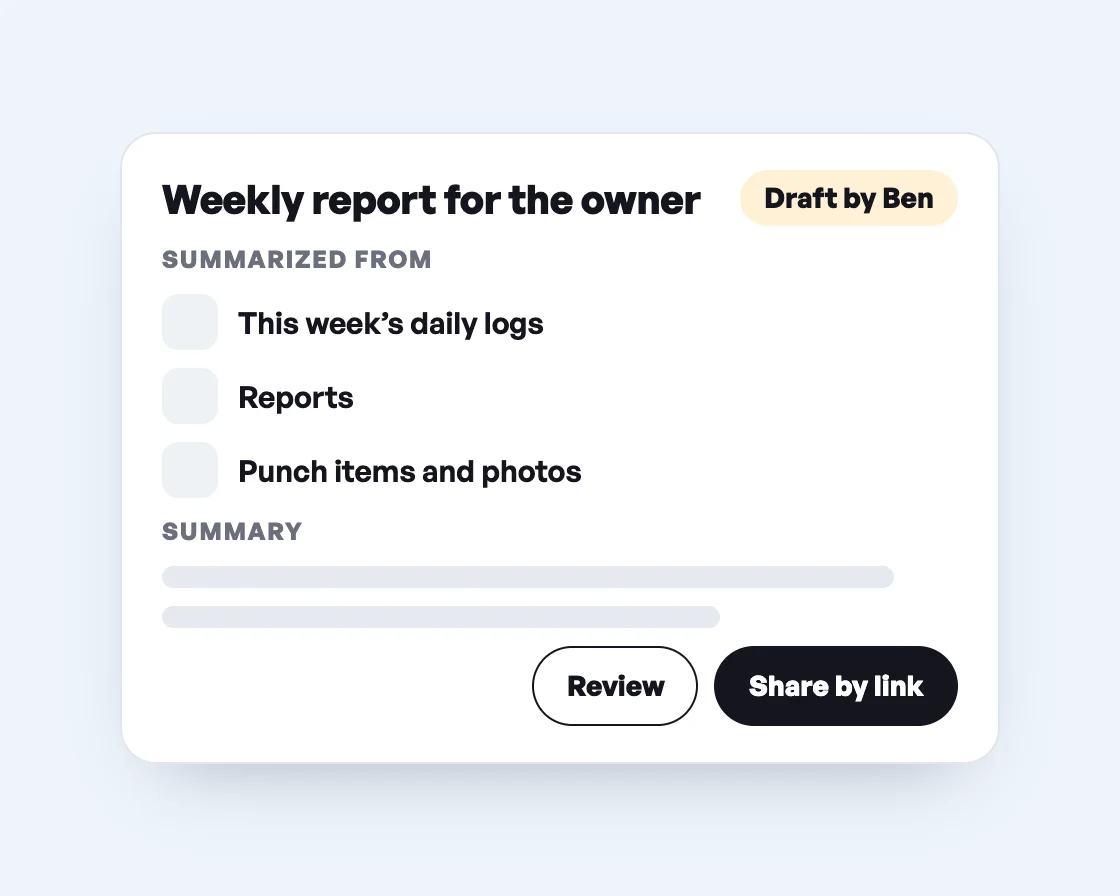
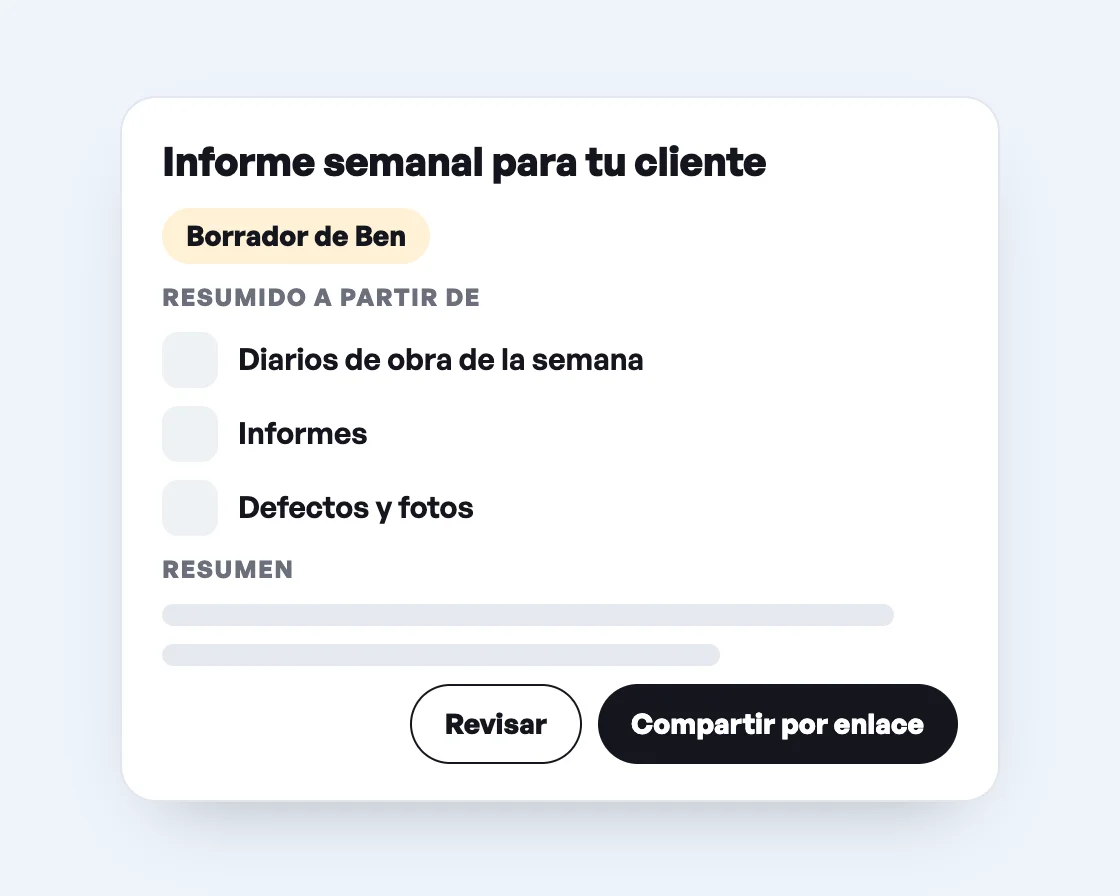
  • Ben combines a week of daily logs, reports and punch items into one report.
  • Whatever Ben creates waits as a draft. You review and approve it.
  • You share the finished report with the owner by secure link, no Benetics AI account needed.
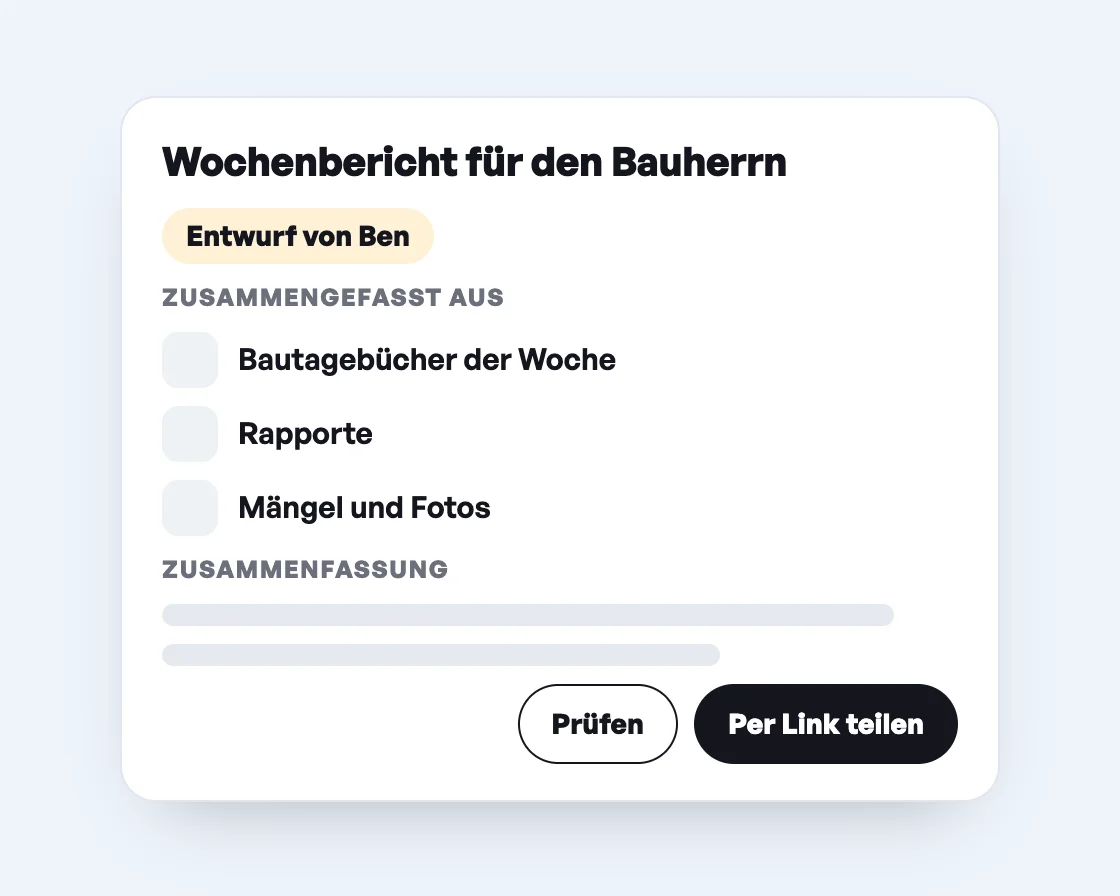
Wochenbericht für den Bauherrn als Entwurf von Ben, zusammengefasst aus Bautagebüchern, Rapporten, Mängeln und Fotos, mit den Knöpfen Prüfen und Per Link teilen.
Weekly report for the owner as a draft by Ben, summarized from daily logs, reports, punch items and photos, with the buttons Review and Share by link.
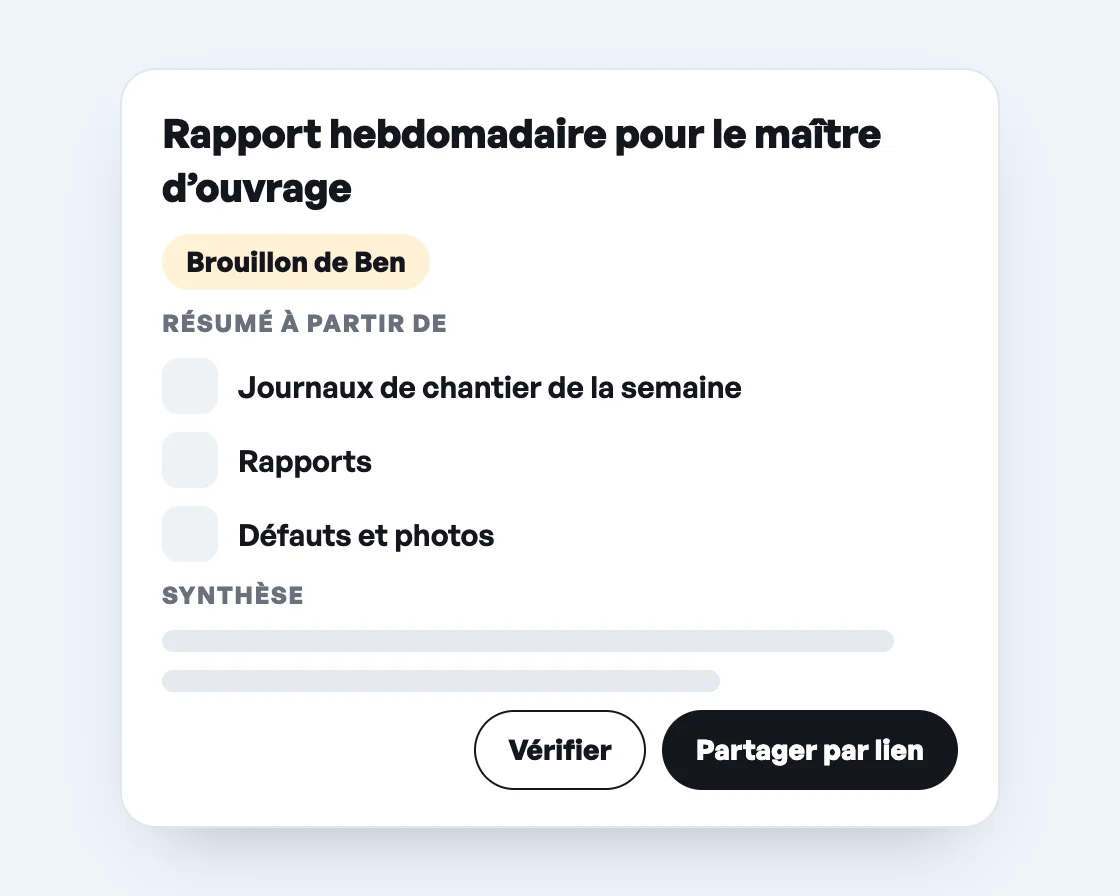
Rapport hebdomadaire pour le maître d’ouvrage en brouillon de Ben, résumé à partir des journaux de chantier, rapports, défauts et photos, avec les boutons Vérifier et Partager par lien.
Informe semanal para tu cliente como borrador de Ben, resumido a partir de diarios de obra, informes, defectos y fotos, con los botones «Revisar» y «Compartir por enlace».

Ben knows your building.

Ben, the AI assistant from Benetics AI, reads the plans, punch lists and reports for your building and answers questions about them. He finds rooms and areas, checks fire protection requirements for doors and turns site walks into a report. You say in one sentence what you need. Ben does the rest.

Which punch items are still open in the building?

How many square feet is office 2.14?

Check whether the stairwell door on the 1st floor meets the fire protection requirement.

Turn today’s site walk into a report.

Frequently asked questions about Benetics AI for superintendents.

Answers to the most common questions. There's more in our Help Center.

Give each punch item a trade label and assign it to the subcontractor's foreman. Filter by label and status Open, and you see what's left to do for each subcontractor.

Yes. You log remaining work the same way as punch items: as a task with a photo, a pin on the plan, an assignee, and a due date. A separate label keeps it apart from the punch items.

Yes. Every punch item shows when it was logged and when it was completed. When the subcontractor marks it done, their photo is attached right to the task.

If you share by link, they see exactly the tasks you send them and nothing else. If you invite them to the project as a member, they work in it just like your own team.

Yes. You export the punch list as a PDF or Excel file, for example to send to the subcontractor.

The downloaded plan works offline, and you can type punch items onto it. The entries sync as soon as your phone is back online. The voice assistant needs an internet connection.

No time to try it yourself?

Jason shows you in a 30-minute video call how Benetics AI takes punch list paperwork off your plate and your field team's.
See it live. 30 minutes.
A man with a phone

No time to try it yourself?

Jason shows you in a 30-minute video call how Benetics AI takes punch list paperwork off your plate and your field team's.
See it live. 30 minutes.
A man with a phone